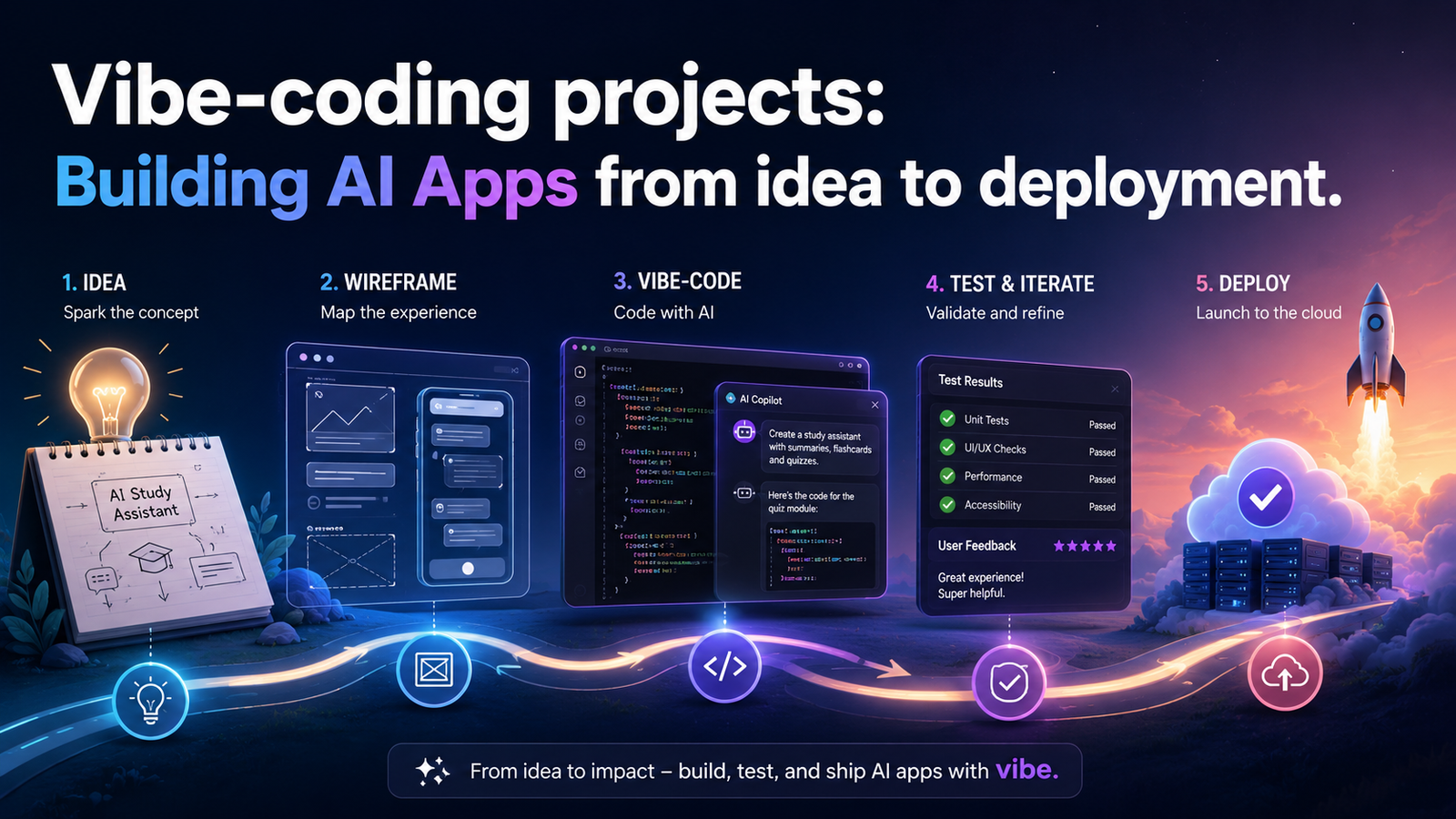
Vibe Coding Explained: Building Apps with AI
What “Vibe Coding” Actually Means
The term “vibe coding” was coined by AI researcher Andrej Karpathy in early 2025 to describe a style of software development where the programmer leans heavily on AI to generate code, navigating the build primarily by intent and instinct rather than by line-by-line understanding of every function.
The programmer describes what they want. The AI writes it. The programmer tests, refines, and describes again. It spread fast because it named something that thousands of builders were already doing—and doing productively.
What Vibe Coding Is — And Is Not
| Vibe Coding IS | Vibe Coding IS NOT |
|---|---|
| AI-assisted development — using AI to scaffold, generate, and iterate on code faster than traditional methods. | Coding without thinking — you still direct every decision. AI executes; you architect and judge. |
| Accessible to non-developers — people without formal training can build functional, deployable products by communicating clearly with AI tools. | A replacement for engineering—complex systems, security-critical infrastructure, and scaled products—still needs deep technical expertise. |
| A legitimate build method—the output is real working code. The product ships. Users use it. | Always production-ready first pass—AI output must be reviewed, tested, and refined. Treating first-pass AI code as final is the most dangerous mistake in this workflow. |
“Vibe coding is not about ignoring how the machine works. It is about directing what the machine builds—with intention, taste, and judgment.”
The Full Pipeline: Idea → AI → Scaffold → Deploy
Every vibe-coded product moves through the same fundamental stages, even if the specific tools vary. Understanding the pipeline as a whole — before touching any individual tool — is what separates builders who ship from builders who stay perpetually “in progress.”
The Complete Vibe Coding Pipeline — 5 Stages
| Stage | Activity | Tool |
|---|---|---|
| 01 · Define | Clarify the problem, user, and core features. Use AI to stress-test your idea and generate a spec. | ChatGPT / Gemini |
| 02 · Design | Generate UI wireframes and visual prototypes. Describe the interface and let AI produce it. | Stitch / Gemini |
| 03 · Build | Generate code—components, APIs, database schema. Iterate prompt by prompt. | AI Studio / Claude |
| 04 · Version | Push all code to a repository. Track changes, roll back mistakes, and prepare for deployment. | GitHub |
| 05 · Deploy | Connect GitHub to Vercel. Every push goes live automatically. The backend lives on Supabase. | Vercel + Supabase |
The Single Most Important Pipeline Habit
Commit to GitHub after every meaningful change — not at the end of a session. If AI generates code that breaks something you had working, you need to be able to roll back to exactly where things were good. GitHub makes that trivial. Working without it makes it impossible.
Tool Stack Overview
The Scholar Suite vibe coding stack is chosen for one primary reason: it covers the complete pipeline from idea to production with entirely free tiers and no infrastructure expertise required.
The Scholar Suite Vibe Coding Stack
| Tool | Role in the Pipeline |
|---|---|
| ChatGPT & Gemini | Ideation stage. Your thinking partners at the start of every project. Use them to write product specs, user stories, and feature lists. Ask hard questions about your idea before you build it. |
| Stitch by Google | Design stage. Describe your UI in plain English, and Stitch generates functional component code—React, HTML, or Material UI. The fastest way to go from “I want a dashboard” to working front-end code. |
| Google AI Studio | Build stage. Write back-end logic, API routes, database schema, and authentication flows using structured prompts. Free API access with a generous tier. |
| GitHub | Version stage. Every line of code lives here. GitHub is not optional — it is the spine of the pipeline. Connects local build to deployment and enables rollback when AI generates breaking code. |
| Vercel + Supabase | Deploy stage. Vercel auto-deploys every GitHub push. Supabase is your back-end — Postgres database with built-in auth, file storage, and REST/GraphQL APIs. Free tiers for both. |
Managing the Pipeline as a Non-Traditional Developer
The biggest mindset shift for non-traditional developers entering vibe coding: your job is not to write code—it is to direct a build and maintain standards. Think of yourself as the architect and the AI as the construction crew.
The Vibe Coder’s Session Checklist
Write down the one specific thing you’re building this session—before opening any tool.
Define what “done” looks like in concrete, testable terms.
Commit current working state to GitHub before making any new changes.
Run and test each AI-generated code block before asking for the next one.
Copy and save all working prompts that produced good results.
Push to GitHub at the end of every session, even if work is incomplete.
Document what is working, what is broken, and what is next—for your future self.
Quality Control: Knowing When AI Got It Wrong
AI-generated code is not always correct. It is often good — sometimes impressively good — but it has blind spots that are different from those of an experienced developer.
Six AI Code Failure Patterns to Watch For
| Failure Pattern | How to Catch It |
|---|---|
| Silent Failures | Code that runs without errors but does the wrong thing. Test with real data, not just “it ran without crashing.” |
| Hallucinated Libraries | AI imports packages that don’t exist or uses deprecated API methods. Check every unfamiliar import before building on it. |
| Over-engineered Solutions | AI adds abstractions and helper functions that aren’t needed. If you can’t explain what a function does, ask AI to simplify it. |
| Security Gaps | AI often omits input validation, SQL injection protection, and rate limiting. Explicitly ask: “What security vulnerabilities does this code have?” |
| Context Amnesia | In long sessions, AI loses track of earlier decisions and conflicts with existing architecture. Paste in relevant existing code with every new prompt. |
| Desktop-Only Thinking | AI defaults to desktop-first layouts. Always specify “mobile-first” and test on a real phone, not just browser dev tools. |
From MVP to Production: The Last Mile
Most vibe-coded products get stuck at MVP. The core feature works. The demo looks good. Then the builder discovers that the gap between “it works for me” and “it works reliably for strangers” is enormous.
| Last Mile Step | What to Do |
|---|---|
| 1. Real user testing | Find five people who match your target user. Watch them use the product without explaining anything. Every moment of confusion is a bug. |
| 2. Error handling | Every button, every form, every API call needs a visible, user-friendly error state. Prompt: “Add error handling to every user action in this component.” |
| 3. Performance on real devices | Test on a mid-range Android phone on 3G. Optimise images, reduce unnecessary JavaScript, and implement loading states everywhere. |
| 4. Environment variables audit | No API keys or secrets should be hardcoded. All in environment variables. None committed to GitHub. |
| 5. Custom domain + monitoring | Connect a custom domain (under ₦5,000/year). Set up free uptime monitoring via Vercel or UptimeRobot so you know when things break before your users do. |
“An MVP that real users can use reliably is worth infinitely more than a perfect product that only the builder has seen.”