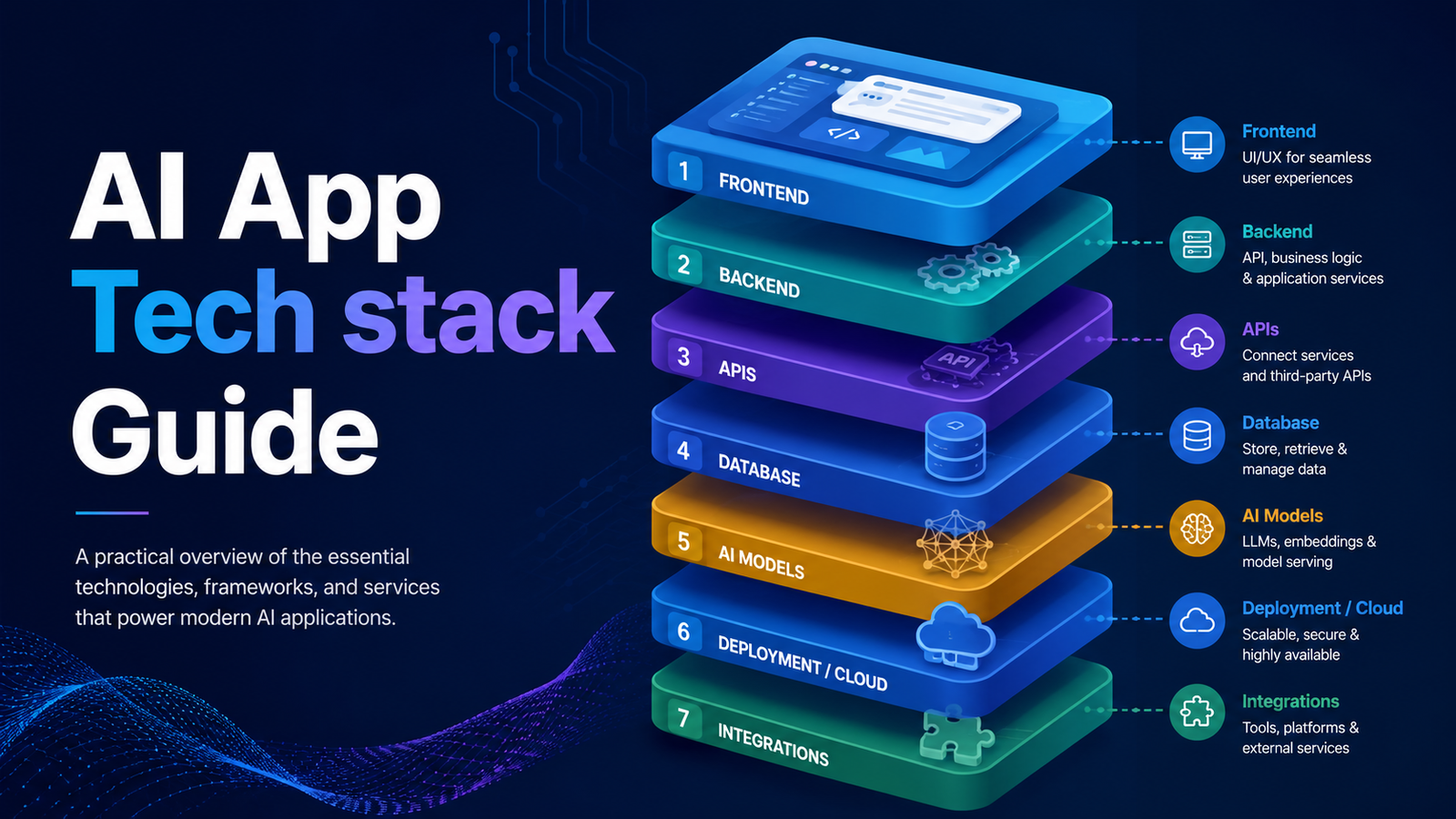
How to Choose a Tech Stack
Choosing a tech stack is one of the most important early decisions in building a web application. Unfortunately, it is also one of the places where many new builders become unnecessarily paralysed. The truth is simple: the best tech stack is not always the most complex, the most fashionable, or the one used by billion-dollar companies. The right stack is the one you can build with now, that can support the realistic scale of your product over the next 12 months, and that your AI tools can generate reliable code for.
For new builders, solo founders, small teams, and African digital entrepreneurs, this point is critical. A stack that looks powerful on paper can become a burden if it requires too much DevOps knowledge, too many paid services, or frameworks that AI tools do not understand well. The goal is not to impress other developers. The goal is to ship a working product, improve it quickly, keep costs under control, and scale only when the product proves demand.
A useful rule is this: pick the stack that your AI tools know best. Obscure frameworks produce weaker AI output, more hallucinated APIs, more outdated patterns, and more debugging work. Popular tools like Next.js, React, Supabase, Vercel, GitHub, Cloudflare, and Paystack are better choices for most early-stage products because they are widely documented, widely used, and well represented in AI training data.
“Pick the stack that your AI tools know best. Obscure frameworks produce worse AI output — and cost you more time.”
For a product like Scholar Suite, the recommended web app stack should prioritise speed, reliability, affordability, and ease of deployment. The stack below gives a strong foundation for building modern SaaS platforms, learning management systems, dashboards, marketplaces, research portals, journal systems, payment-enabled apps, and multi-tenant web applications.
The Scholar Suite Web App Stack — Layer by Layer
| Layer | Tool | Why It Earns Its Place |
|---|---|---|
| Frontend Framework | Next.js 14 | React-based with server components, built-in routing, API routes, and seamless Vercel deployment. The most AI-trained web framework — better prompts, better output. |
| Backend + Database | Supabase | Postgres database with built-in auth, file storage, real-time subscriptions, and auto-generated APIs. Replaces a full backend server for most products. |
| Deployment & Hosting | Vercel | Auto-deploys from GitHub on every push. Zero configuration for Next.js. Global CDN. Free tier covers most early-stage products. |
| DNS + CDN + Security | Cloudflare | Domain DNS, DDoS protection, global asset caching, and wildcard SSL for subdomain multi-tenancy. Free tier is genuinely generous. |
| Payments | Paystack | Nigeria’s most developer-friendly payment infrastructure. Direct NGN settlement. Clean API. No monthly fee — pay per transaction only. |
| Version Control + CI/CD | GitHub | Every line of code lives here. Connects development to production. GitHub Actions free tier covers most CI/CD needs. |
This stack works well because it keeps the number of moving parts low. Next.js handles the frontend and lightweight backend routes. Supabase handles authentication, database, storage, and real-time capabilities. Vercel handles deployment. Cloudflare protects and accelerates the domain layer. Paystack enables local payments. GitHub provides code management and deployment automation.
For early-stage builders, this combination is more practical than setting up a full custom backend, manually configuring servers, managing SSL certificates, and writing authentication from scratch. It allows you to focus on the product itself: users, features, payments, content, dashboards, and workflow.
Before choosing any stack, however, you should apply a simple decision framework. This prevents you from choosing tools based on hype instead of usefulness.
Stack Decision Framework — 6 Questions Before You Choose
| Question | What to Look For |
|---|---|
| Does AI generate good code for this framework? | Next.js, React, and Supabase are extensively trained. Frameworks with smaller communities produce weaker AI output — more hallucinated APIs, more outdated patterns. |
| Can you deploy it without DevOps expertise? | Vercel + Supabase deploys in minutes. Only move to a VPS when you have a specific reason to — not as a default. |
| What does it cost at 1,000 users? | Model the cost before you build. Supabase Pro ($25/month) + Vercel Pro ($20/month) = $45/month at scale. Know the number before you commit. |
| How does it perform on 3G with low-spec devices? | Server-side rendering (Next.js) loads faster on slow connections than client-side rendering. For Nigerian users, this directly affects whether they use your product. |
| Is there a clear upgrade path? | Vercel free → Pro and Supabase free → Pro are clearly defined paths with no migration required. Avoid stacks where scaling means rebuilding. |
| What does local payment integration look like? | Paystack integrates via a simple JavaScript SDK and server-side webhook. Any stack with a Node.js backend, including Next.js API routes, supports it natively. |
These questions force you to think like a product builder, not just like a developer. Your stack should help you move faster, not slow you down. If a framework requires too much configuration, lacks documentation, or makes AI output unreliable, it is a poor choice for a first product.
One of the most common architecture mistakes beginners make is starting with microservices too early. Microservices sound advanced, but they are not automatically better. They solve organisational problems that only appear when multiple engineering teams are working on separate parts of a large system. For solo builders and small teams, a well-structured monolith is usually the superior choice.
A monolith means your application lives in one codebase, has one deployment pipeline, and is easier to debug. This does not mean the code should be messy. A good monolith should still be modular, with clear folders, reusable components, proper database design, clean services, and well-separated business logic.
Monolith vs Microservices for Solo and Small-Team Builders
| Monolith — Start Here ✓ | Microservices — Grow Into This ✗ |
|---|---|
| One codebase, one deployment, one set of logs — dramatically easier to build and debug. | Each service can be deployed and scaled independently — powerful at team scale. |
| Changes to one part don’t require coordinating across multiple services. | Teams can work in parallel without stepping on each other. |
| AI generates monolith code significantly better — it understands the full context. | Requires DevOps infrastructure to manage service communication, discovery, and monitoring. |
| Scales further than most people expect before becoming a problem. | Debugging distributed failures is significantly harder than debugging a monolith. |
| One failing component can affect the whole system if not isolated properly. | Most solo and small-team builders who start here regret it within two months. |
Amazon, Netflix, and Uber use microservices because they have hundreds or thousands of engineers, complex infrastructure teams, and massive traffic patterns. That is not the starting point for a new builder. Your first or second product does not need distributed systems, service discovery, message brokers, and service meshes before it has real users.
The honest rule is this: start with a monolith. A well-structured monolith will serve you to thousands of users and beyond. Extract services only when a specific bottleneck demands it. Do not split your application into microservices because it sounds professional. Premature microservices create complexity before they create value.
The database decision is even more important than the frontend framework. You can change a UI library later. You can migrate hosting later. But migrating a database after users, transactions, files, records, and relationships have accumulated can be painful, slow, and expensive. Choose deliberately and choose once.
For most serious web applications, Postgres is the safest default. It is mature, reliable, relational, powerful, and widely supported. Supabase makes Postgres easier for beginners by adding authentication, storage, real-time features, APIs, and dashboard management.
Database Options Compared
| Database | Type & Best For | Scholar Suite Recommendation |
|---|---|---|
| Supabase (Postgres) | Relational SQL. SaaS, LMS, fintech, e-commerce, multi-tenant apps — anything with relationships between data. | ✓ Primary recommendation — start here |
| Firebase (Firestore) | NoSQL document store. Real-time chat apps, collaborative tools, mobile-first apps where schema changes frequently. | Use when real-time is the core feature |
| PlanetScale | MySQL-compatible serverless DB. High-traffic apps needing write scalability. | Valid alternative; prefer Postgres ecosystem |
| MongoDB Atlas | NoSQL document store. Content management, catalogues, apps where data structure varies per record. | Use when schema flexibility is genuinely needed |
| Neon | Serverless Postgres. Branch-based development workflow. | Strong alternative to Supabase for DB-only needs |
The basic database rule is straightforward: if your data has relationships, use a relational database. Users have orders. Orders have items. Items belong to categories. Students enrol in courses. Courses have lessons. Lessons have quizzes. Journals have manuscripts. Manuscripts have authors, reviewers, editors, decisions, files, and publication records. These are relational problems, and Postgres handles them very well.
NoSQL databases are useful when your data is mostly independent documents that may vary widely in structure. For example, if every record has a different shape and relationships are not central to the application, MongoDB or Firestore may make sense. But when in doubt, start relational. Migrating from structured data to flexible documents is usually easier than migrating from chaotic document data back into proper relational structure.
Hosting is another area where beginners often overcomplicate the decision. The mistake is assuming that more control automatically means a better platform. In reality, more control also means more responsibility. A VPS gives you power, but it also gives you server updates, security hardening, SSL configuration, deployment scripts, backups, monitoring, and uptime responsibility.
For most MVPs, Vercel plus Supabase is the correct starting point. It removes server management and allows you to deploy directly from GitHub. When the product grows and the cost structure changes, you can then consider moving parts of the system to a VPS or cloud infrastructure.
Hosting Tiers: Matched to Stage and Scale
| Tier | Platform & Cost | When to Use |
|---|---|---|
| Tier 1 • MVP to 10k users | Vercel + Supabase • $0–$45/month | Zero configuration deployment. Auto-scales. Global CDN. No server management required. The right choice for 95% of early-stage products. Start here — always. |
| Tier 2 • 10k–100k users | VPS, such as Hostinger KVM 2 • ~$10–$20/month | Full server control. Host multiple apps on one instance. Requires CyberPanel or another server management setup. Move here when Vercel cost becomes significant. |
| Tier 3 • 100k+ users | AWS / GCP / Azure • $100–$1k+/month | Enterprise-grade infrastructure. Maximum control. Requires dedicated DevOps expertise. A destination, not a starting point — when you have a DevOps engineer. |
For Nigerian builders with multi-tenant applications, Cloudflare is especially important. If each customer needs a subdomain, wildcard SSL becomes essential. Cloudflare allows you to manage DNS, SSL, caching, DDoS protection, and domain-level security from one place. You can point your domain to Vercel or to a VPS and configure wildcard subdomains for tenant-based routing.
Cost control is not a minor issue for African builders. Dollar-denominated infrastructure can become expensive quickly when revenue is earned in Naira. This is why early-stage products should be built with a cost-optimised stack that keeps monthly expenses low until the product proves traction.
The goal is not to avoid paying forever. The goal is to avoid paying too early for infrastructure you do not yet need.
The Scholar Suite Zero-Cost MVP Stack ($0/Month)
| Layer | Tool | Free Tier Details |
|---|---|---|
| Frontend | Next.js on Vercel | Vercel hobby plan: free with no time limit. Unlimited deployments. 100GB bandwidth/month. |
| Database | Supabase Free | 500MB database, 1GB file storage, 50k monthly active users. Covers most MVPs fully. |
| Auth | Supabase Auth | Built into the free tier. Email, phone, OAuth providers. No separate service required. |
| DNS + CDN | Cloudflare Free | Unlimited DNS, DDoS protection, SSL, performance caching. No meaningful limits for early products. |
| Resend Free | 3,000 emails/month free. Clean API with React Email templates. Replaces SendGrid at zero cost. | |
| Payments | Paystack | No monthly fee. 1.5% per transaction, capped at ₦2,000. You only pay when you earn. |
| AI Features | Google AI Studio | Gemini API free tier: 15 requests/minute, 1M tokens/day. Sufficient for most early-stage AI features. |
| Version Control | GitHub Free | Unlimited public and private repositories. GitHub Actions: 2,000 CI/CD minutes/month. |
When the free tier runs out, the first paid upgrade will usually be Supabase Pro. This becomes necessary when the database grows beyond the free storage limit, when the application needs more resources, or when usage becomes serious. The second likely upgrade is Vercel Pro, especially when team collaboration, higher bandwidth, or commercial requirements become important.
A realistic early paid infrastructure plan is around $45/month: Supabase Pro at about $25/month and Vercel Pro at about $20/month. That number should influence your product pricing from day one. If your application cannot eventually cover $45/month, the business model needs adjustment.
Scale should be considered, but it should not become an excuse for over-engineering. The right principle is to design for 10x your current scale, not 1000x. If you have 10 users, design for 100. When you have 100, design for 1,000. Solving for one million users before you have ten is architectural procrastination disguised as professionalism.
A good early architecture should make the important decisions correctly while postponing unnecessary complexity. That means designing the database well, using environment variables, adding basic indexes, choosing server-side rendering where appropriate, and keeping the deployment process clean.
Scale Checklist: What to Do Now vs What to Defer
| Decision | Now or Later? |
|---|---|
| Design your database schema carefully | NOW — the data model is the hardest thing to change later. Get relationships right upfront. |
| Use environment variables from day one | NOW — costs nothing upfront and is painful to retrofit. API keys belong in env vars, never hardcoded. |
| Add indexes to frequently queried columns | NOW — indexes on user_id, created_at, status cost almost nothing and prevent serious performance problems later. |
| Use server-side rendering for content pages | NOW — faster load, better SEO, and more resilient on slow connections. |
| Caching layers, such as Redis or Memcached | DEFER — adds complexity without benefit at early scale. Supabase’s connection pooling handles most early-stage load. |
| Message queues, such as RabbitMQ or Kafka | DEFER — appropriate for high-throughput async workloads at scale. Supabase Edge Functions handle async tasks without a separate queue. |
| Microservices and service meshes | DEFER — a team-size problem, not a technical one. A well-structured monolith scales further than most people realise. |
| Multi-region database replication | DEFER — unless serving users across multiple continents with strict latency requirements, single-region Supabase handles your needs. |
This is the correct mindset for modern product development: build simply, but not carelessly. Start with a strong monolith. Use a relational database. Deploy on platforms that remove unnecessary DevOps burden. Keep costs low. Use AI-friendly frameworks. Add complexity only when the product has earned it.
The architecture that ships is better than the perfect architecture that never reaches users.
For Scholar Suite and similar products, the recommended stack is clear: Next.js, Supabase, Vercel, Cloudflare, Paystack, GitHub, Resend, and Google AI Studio where AI features are needed. This stack is modern enough for serious products, simple enough for solo builders, affordable enough for African markets, and popular enough for AI tools to generate strong code.
The final decision is not about choosing the most powerful technology. It is about choosing the technology that helps you build, launch, learn, and improve quickly. That is what turns an idea into a real product.